
01 / The Logibee Platform
AI-Powered Logistics Operations Orchestration Platform
Every signal.
One intelligence.
Coordinated action.
Logibee connects planning and execution with workforce, fleet, partners and customer operations in one continuous operational decision loop.
Conceptual operating model; the product view below is authentic Logibee UI.
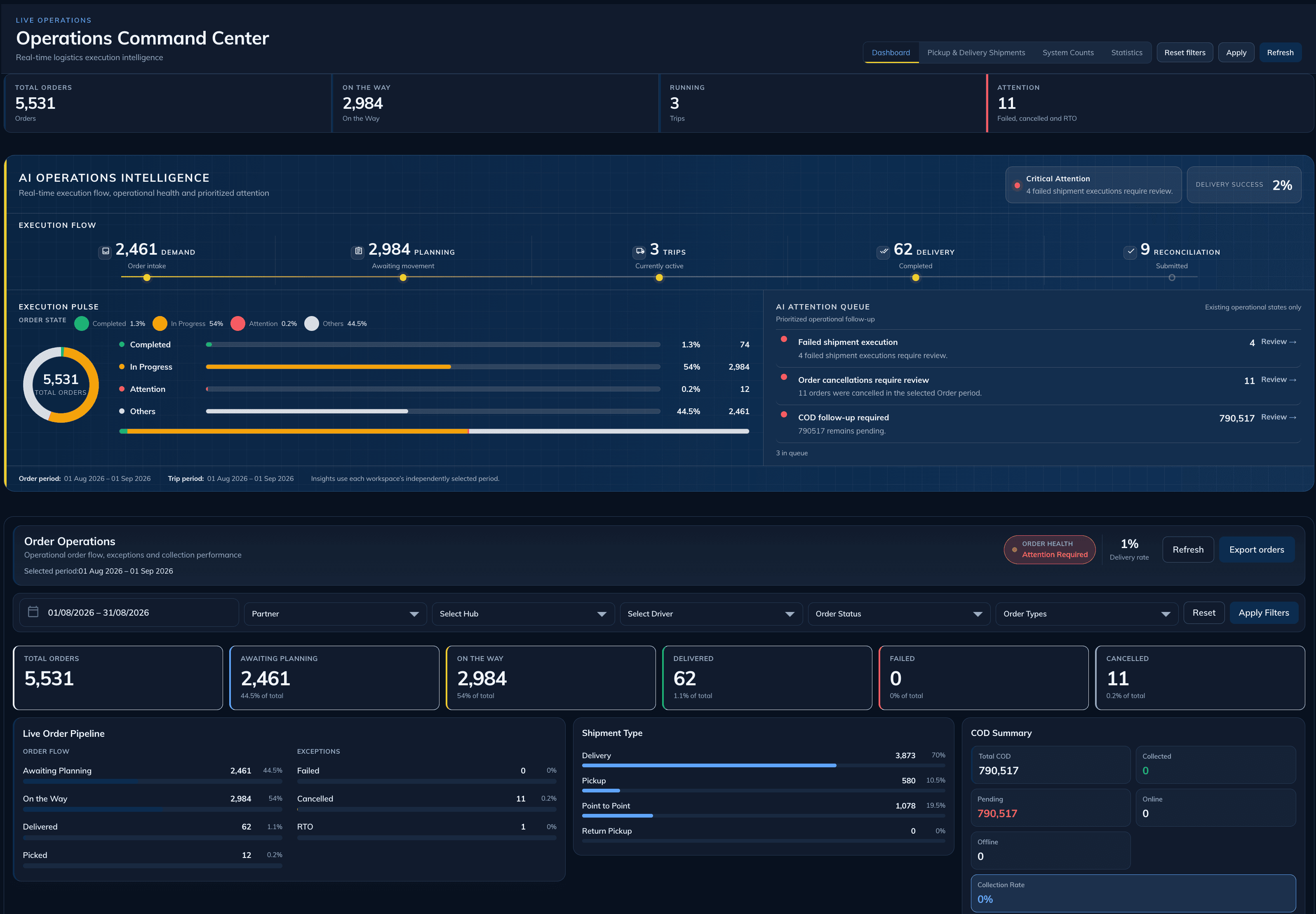
Intelligence has an operating home.
Execution flow, operational pulse and an attention queue meet in one view. The team sees what needs review and retains control of the response.
02 / Connected operating system
One platform across the whole operation.
Work does not end at a plan. Logibee carries context through allocation, execution, visibility and response—then returns what happened to the next decision.
03 / AI Operations Planning
Turn demand into a workable plan.
Orders and commitments create the planning workload. Capacity and constraints shape what can move next. Logibee brings those inputs together so teams can plan and allocate with clearer operational context.
The real view shows acknowledged shipments awaiting planning. The sequence at left explains the wider capability; it is not a control shown inside this screenshot.
Explore AI Operations Planning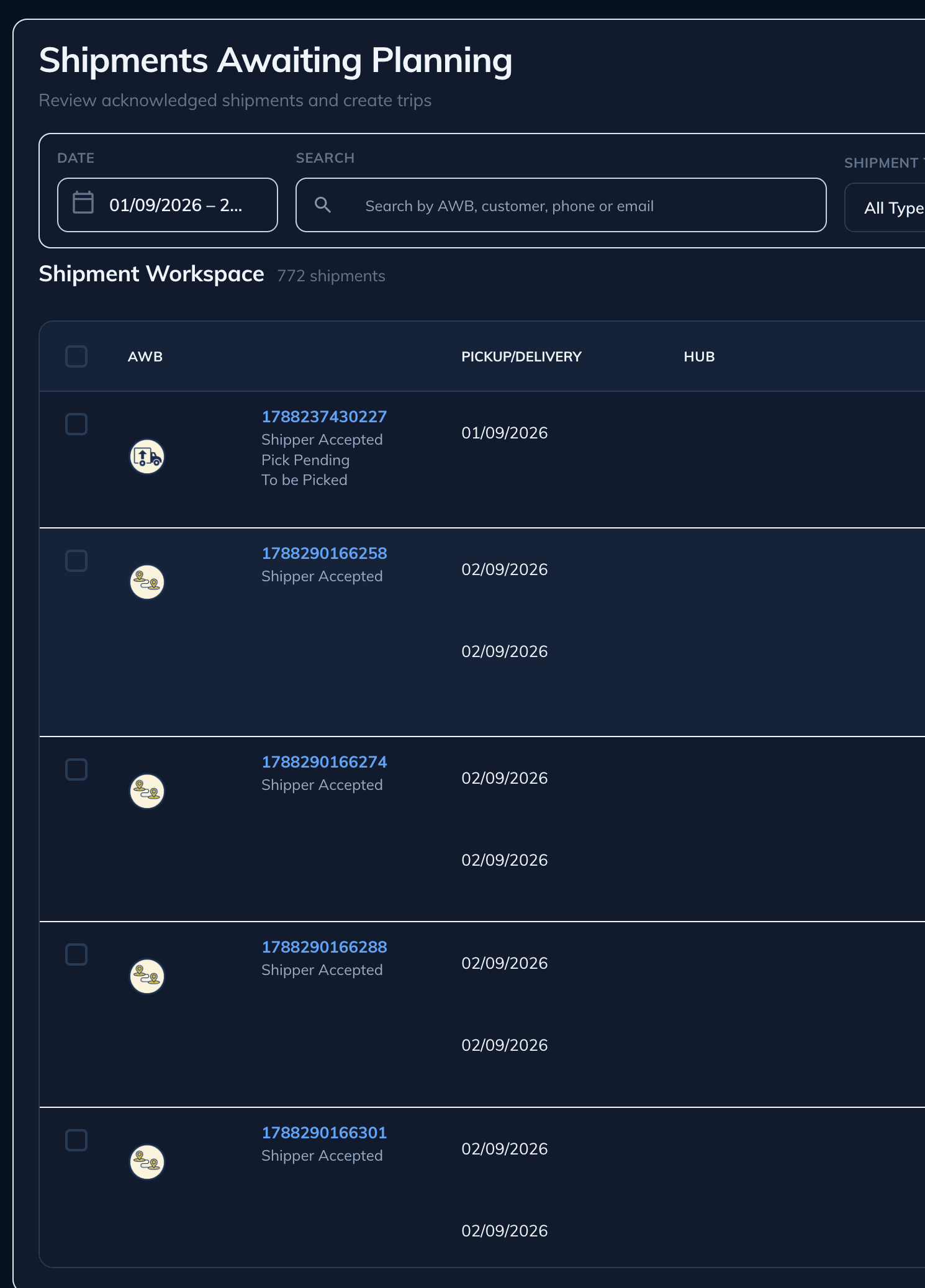
04 / Execution
The plan becomes work in motion.
Assignment gives a trip its operating resources. Dispatch and mobile updates carry the work forward. Status and proof close the loop for operations and customers.
- 01Plan + assignmentA trip has a defined operating state and capacity.
- 02Dispatch + executionTeams follow the work and update progress.
- 03Status + proofCompletion and evidence return to the operating record.
The product capture shows trip assignment and utilization. Dispatch progression and proof are described as platform capabilities, not as states visible in this frame.
Explore Execution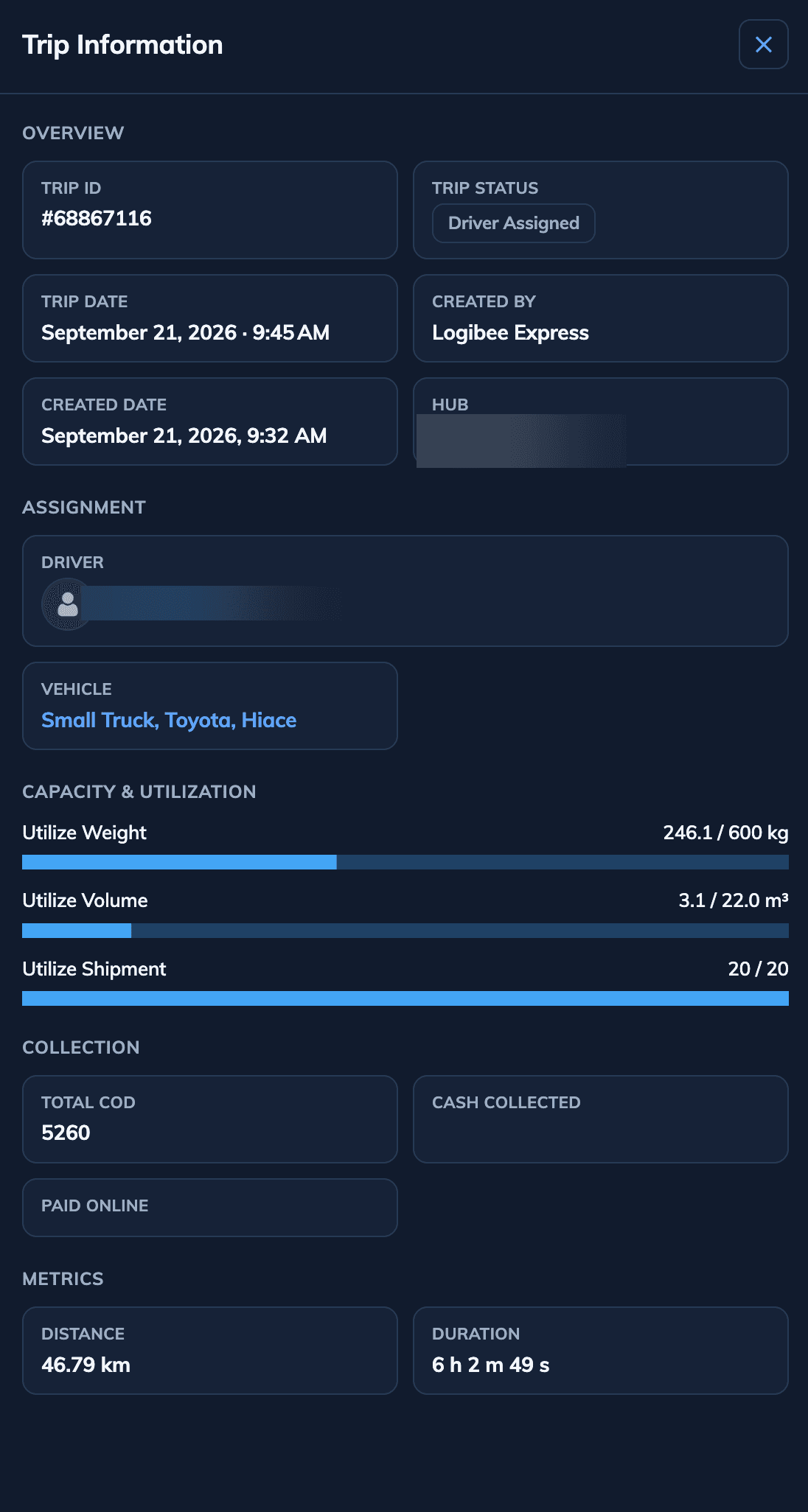
05 / Control Tower
See the operation.
Know where to respond.
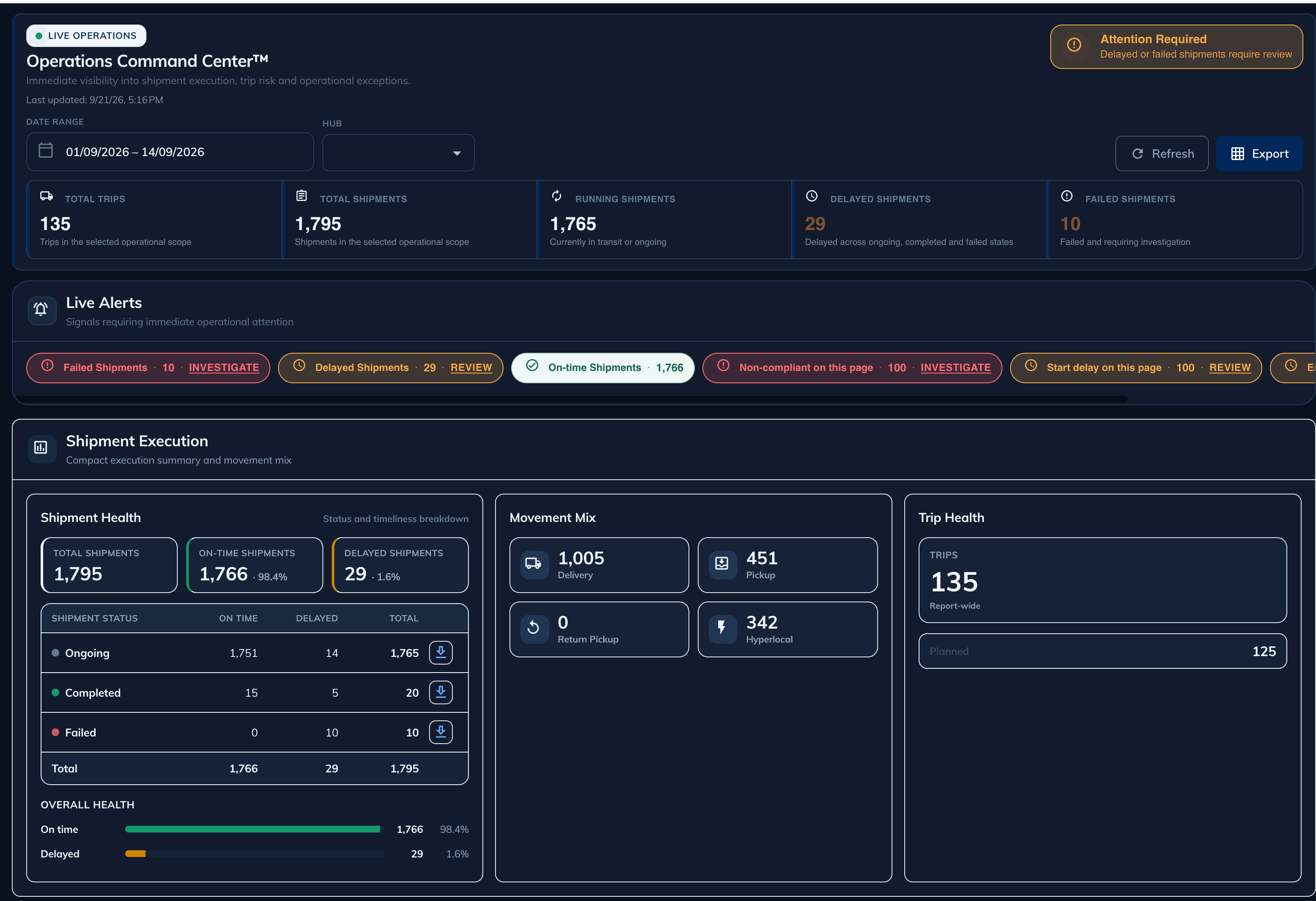
Live status and attention signals bring delayed, failed or non-compliant work into view. An operator reviews the exception and chooses the next response.
06 / Operational agility
Operations change.
Execution stays connected.
A plan can meet an exception after dispatch. Logibee keeps the change visible so an operator can review the situation, choose the next action and retain its status in the operating record.
Driver, vehicle and capacity are set for the delivery.
Ready to executeStatus moves with the work while the plan remains in place.
Status returningOperations can monitor the trip without changing its course.
Visible to operationsProgress and completion evidence return to the record.
Evidence returnsConceptual explanation based on supported exception and reattempt workflows. No autonomous resolution is represented.
07 / Connected operational resources
The plan is shared
by everyone moving it.
Workforce, fleet, partners and customer operations contribute live context to one operational flow. Their assignments, communications and proof return through that same flow.
08 / Continuous decision loop
Every operation informs
the next decision.
Signals become context. Intelligence helps the team plan and coordinate. An operator directs the response; execution evidence returns to the operating picture.
Plan
Coordinate
RespondMake the next move clear
09 / Enterprise foundation
Fits the systems
you already operate.
Logibee Connect supports APIs, webhooks and integration workflows across order, warehouse, commerce, payment and partner systems. Existing enterprise systems stay part of the operating picture.
Demonstrated platform outcomes; results vary with each operating context.
Aggregated, self-reported platform proof over 2–3 years. Details on request.
10 / Explore further
Find the capability
for your operation.
Enterprise FAQ
Frequently asked questions
Which industries does Logibee support?
Logibee supports healthcare operations, 3PL and distribution, retail and commerce, and field service operations — with industry-specific workflows, compliance, and coordination models.
Does Logibee integrate with existing enterprise systems?
Yes. Logibee Connect provides APIs, webhooks, and integration workflows for ERP, OMS, WMS, eCommerce, payment, and partner systems.
How do enterprises evaluate Logibee?
Operations leaders typically start with a Discovery Session to align on operational priorities, then review platform architecture, relevant solutions, and transformation proof for their industry.
Start The Conversation
See Logibee Across Your Operation.
Review how planning, execution, resources and operational intelligence fit your environment with the Logibee team.
- Fast implementation
- API-first
- Enterprise ready
- Built for operations
Enterprise teams across logistics, retail, manufacturing, and distribution use Logibee to run complex operations.