
01 / Operations / Field execution
AI-Powered Logistics Operations Orchestration Platform
A good plan needs a clear path through the field.
Assignment, dispatch, worker updates and proof keep a trip moving while returning execution context to the teams coordinating it.
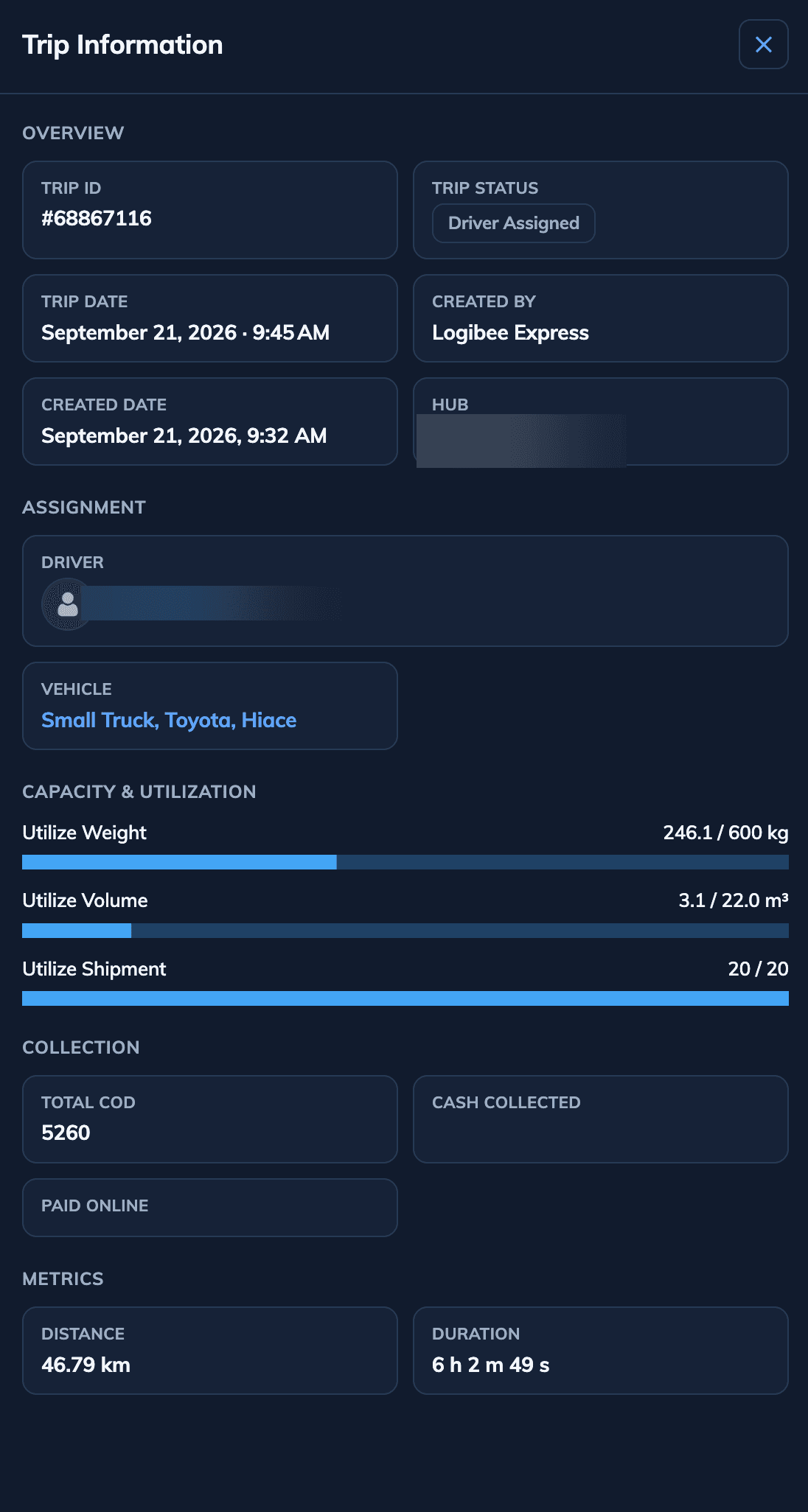
This capture shows trip assignment and capacity utilization. Mobile proof is described below, not shown in this frame.
02 / Execution thread
From assignment to accountable completion.
One execution thread carries the plan to the worker and brings status, exceptions and completion evidence back. Authentic portal and Driver App captures show key points in that flow.
Match the work to a resource.
Send the committed trip into motion.
Carry instructions into the field.
Return progress and exceptions.
Close the operating record with evidence.
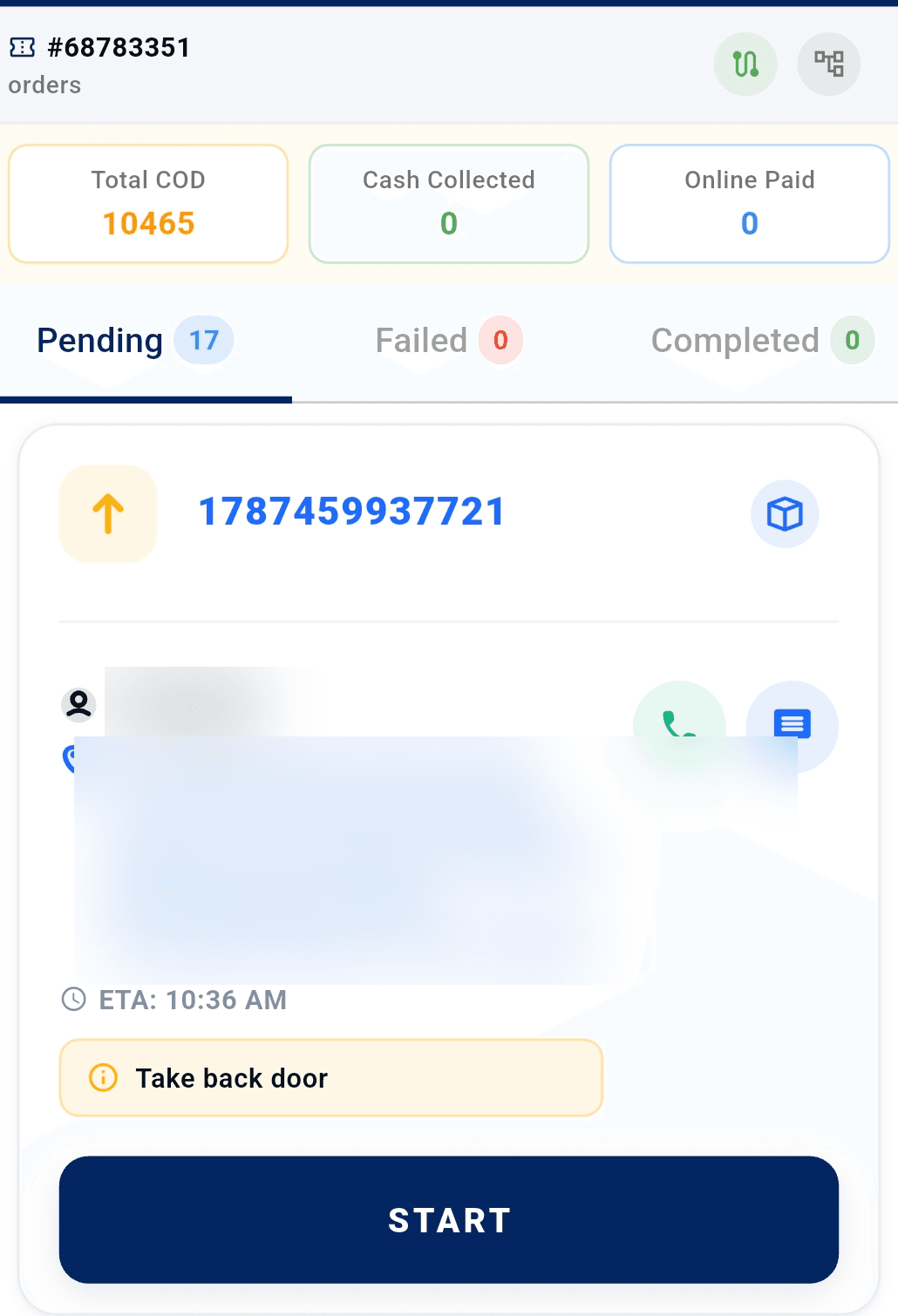
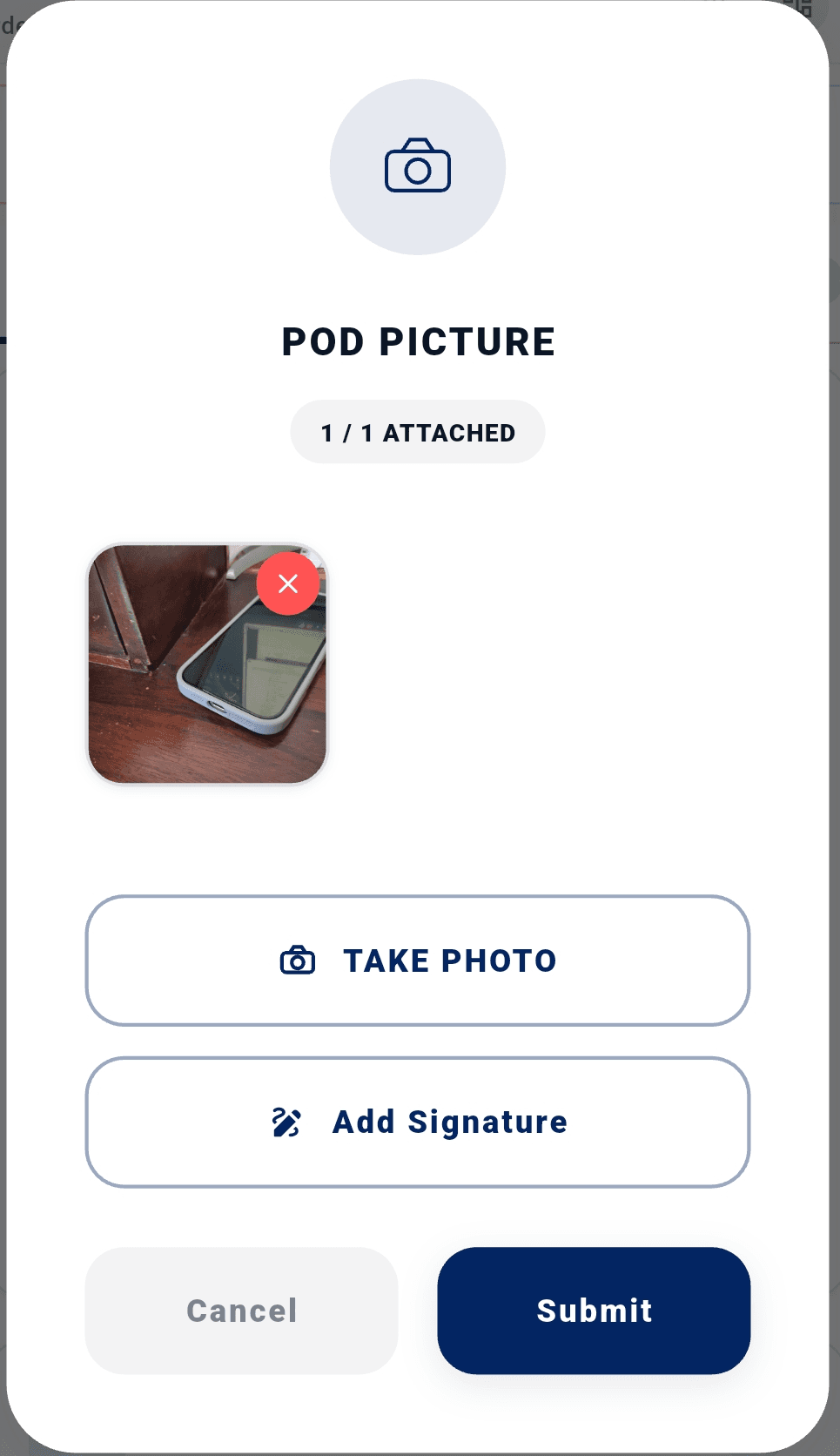
The assignment and Driver App captures below show distinct points in this thread. The diagram explains the handoffs between them.
03 / Real product evidence
The trip moves from portal to field.
The web view shows assignment and capacity. The Driver App shows a pending task and the separate POD attachment step. These are authentic moments in the workflow, not a composite product screen.
Connected to the platform
The next decision keeps its context.
Live updates and exceptions inform Control Tower attention while proof closes the operating record.
Trip scale is platform-wide proof, not an isolated result of the Execute capability.
Enterprise FAQ
Frequently asked questions
What is Logibee Execute?
Execute digitizes field execution for drivers, technicians, healthcare workers, and mobile workforce personnel through one connected mobile platform.
What workflows does Execute support?
Assignment, mobile execution, proof capture, customer updates, and enterprise visibility across logistics and field operations.
Does Execute work offline?
Execute is designed for field reliability with mobile-first workflows; connectivity requirements depend on your operational configuration.
How does Execute connect to the platform?
Execute feeds execution data into planning, control tower visibility, and enterprise integrations through Logibee Connect.
Which industries use Execute?
Healthcare, 3PL, retail delivery, and field service operations with mobile workforce execution needs.
Start The Conversation
See Execute in Your Operation.
Explore how execute fit your operating model with the Logibee team.
- Fast implementation
- API-first
- Enterprise ready
- Built for operations
Enterprise teams across logistics, retail, manufacturing, and distribution use Logibee to run complex operations.