
SPECIALIZED WORKFLOW · REVERSE LOGISTICS
Keep reverse work visible through recovery.
ReturnFlow structures return-to-origin and other supported reverse work from the return request through assignment, pickup status and a recorded close. Operators choose the recovery action.
WHEN IT APPLIESUse this workflow when failed delivery or a return request creates work that must be assigned, followed and reconciled with its original record.

HOW THE WORK MOVES
Follow reverse work through the selected recovery path.
A specific operating workflow with visible steps and an operator-reviewed close.
- 01
Register the return
Connect the return or failed-delivery state to the affected work.
- 02
Review the reason
Give operators the context needed to select the next recovery action.
- 03
Assign reverse work
Create and allocate the supported return or pickup task.
- 04
Record the close
Return status and available proof to the operating record.
PRODUCT CONTEXT
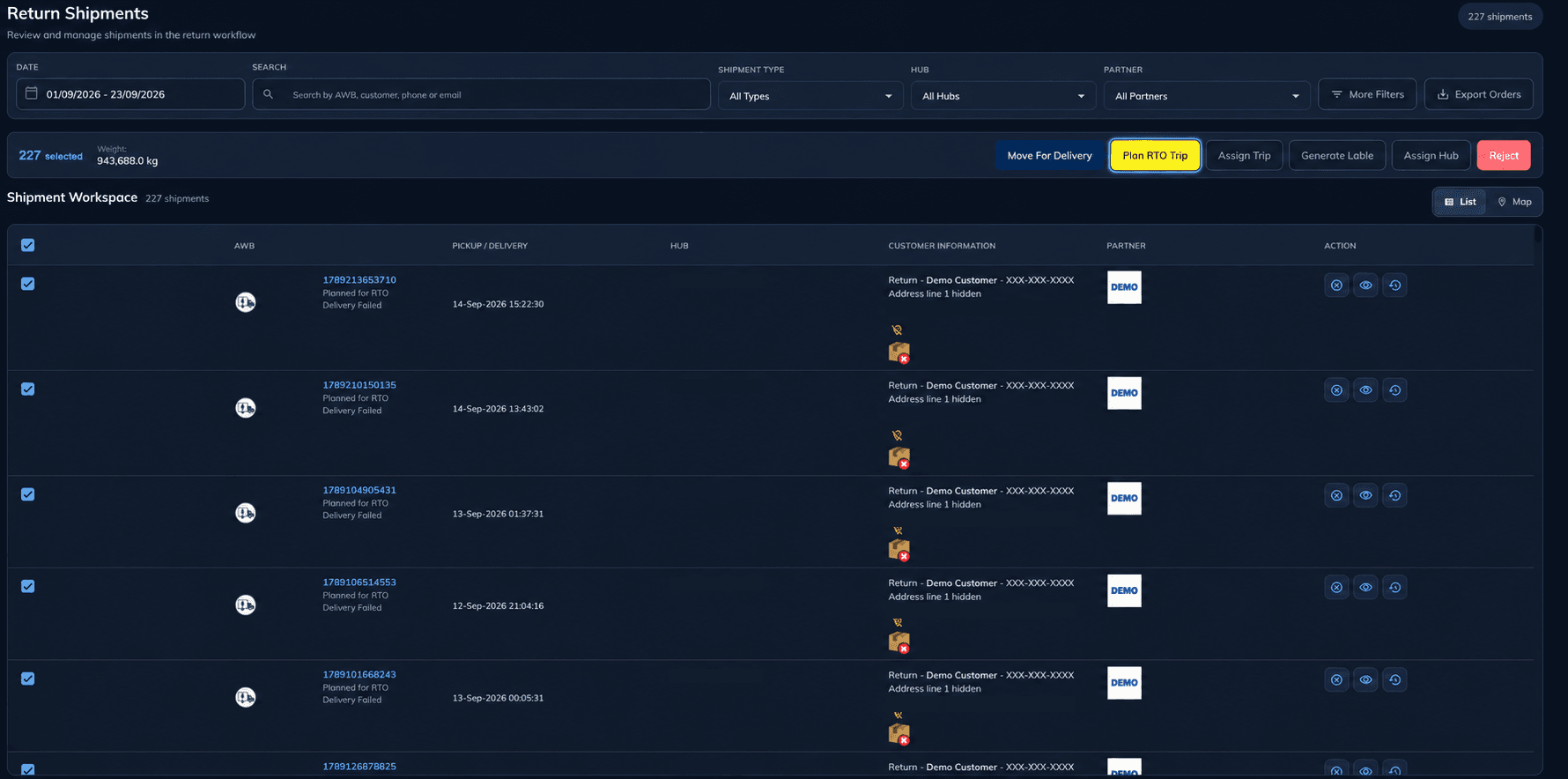
Return work in the operating workspace
The authentic demo screen shows return records and recovery context. It does not imply automatic refunds, exchange processing or inventory disposition.
PART OF AN OPERATING SOLUTION
Returns & Recovery
ReturnFlow handles a specific reverse-work process within the broader outcome of controlling returns and recovery decisions.
NEXT STEP
See how this workflow fits your operation.
Review the workflow with your team and operating requirements.
Book Discovery Call →